 Jessica
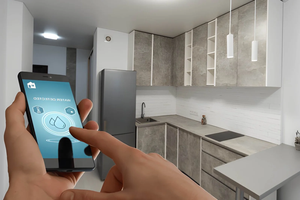
You are at the airport gate when the thought arrives: did the thermostat drop to its away setting, and is the front door actually locked? You open the app, and it spins. The router at home may have restarted, your phone is on roaming data, or the schedule you set months ago is running on the wrong time zone. Smart devices make a house easier to run from far away, but only if the setup has been checked for the days you will not be there. So how can you manage smart devices while traveling?
The answer is to plan for failure before you leave, not to depend on the app mid-trip. A good setup reduces what you need to do remotely and tells you quickly when something goes wrong. This article gives you a practical order of work. You will find a quick answer, a pre-trip checklist, a table of common failures, a security guide, sample away routines, and the mistakes that cause trouble. It suits renters, homeowners, and frequent travelers. Read the quick answer first, then use the sections that fit your home.
How Do You Manage Smart Devices While Traveling?
To manage smart devices while traveling, test your setup before you leave, switch on an away routine, and set alerts for offline devices, doors, and leaks. Secure remote access with two-factor authentication, give a trusted person backup access, and avoid depending on a single connection. Keep manual controls working.
Before You Leave: Three Checks
| Check | What to do | Why |
|---|---|---|
| Connection | Open each app on mobile data, not home Wi-Fi | Confirms remote access works |
| Power | Note what resets after an outage | Some devices lose schedules or settings |
| Backup | Give one trusted person app access or a physical key | Covers dead phones and lost data |
Do this at least a day before departure, so you have time to fix problems.
What Fails While You Are Away
| Problem | Typical cause | Fix before you go |
|---|---|---|
| Device shows offline | Router restart or outage | Place the router on a surge protector, enable offline alerts |
| Schedules run at wrong times | Time zone or daylight saving mismatch | Check the app’s home time zone |
| Location triggers misfire | Phone location jumps or shuts off | Use schedules for away mode instead |
| Camera runs out of storage | Cloud plan or card full | Check storage and notification settings |
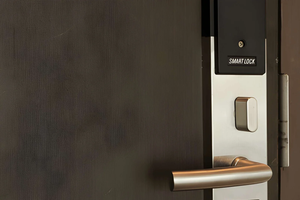
| Smart lock battery dies | Low batteries unnoticed | Replace weak batteries |
Manage Smart Devices While Traveling Securely
Remote access is useful, and it is also an entry point.
| Step | Detail |
|---|---|
| Two-factor authentication | Turn it on for every smart home account |
| Strong, unique passwords | Use a password manager |
| Avoid public Wi-Fi | Use mobile data, or a trusted VPN, for app control |
| Software updates | Update apps and device firmware before leaving |
| Keep trips private | Avoid posting travel plans publicly while you are away |
Check what each app shares and with whom, and remove access for former guests or housemates.
Sample Away Routines
| Device | Away setting |
|---|---|
| Heating or cooling | Lower to a safe, energy-saving level, and avoid freezing in cold weather |
| Lights | A simple schedule that looks natural, not random flashing |
| Cameras and sensors | Armed, with alerts to your phone and a backup contact |
| Water shutoff or leak sensors | Active, with alerts |
| Smart plugs | Off for devices that draw standby power |
Do not automate high-risk appliances, such as heaters or irons, to run unattended.
Mistakes to Avoid
The most common mistake is testing only on home Wi-Fi, which hides a remote access problem. Another is relying on location-based triggers when your phone is roaming. A third is forgetting batteries, since a dead lock or sensor may fail silently. Giving too many people access also creates risk, so limit it to trusted contacts. Finally, do not assume one alert is enough. Set notifications on more than one device if you can.
FAQ
Can I control smart devices abroad?
Usually yes, with internet access, though some services restrict features by region, so test beforehand.
Should I leave the Wi-Fi on while I travel?
Yes, if devices depend on it. Protect the router with a strong password and updated firmware.
What if the power goes out while I am away?
Check which devices restore their settings automatically, and have someone you trust check the home if alerts show a long outage.
Bottom Line
To manage smart devices while traveling, test remote access, secure your accounts, set alerts, and give a trusted person backup access. Choose simple away routines and avoid depending on one connection. A short check before you leave is better than troubleshooting at the gate.
Must visit https://designmode24.co/designmode24-interior-design/ for managing smart devices while traveling.