 Jessica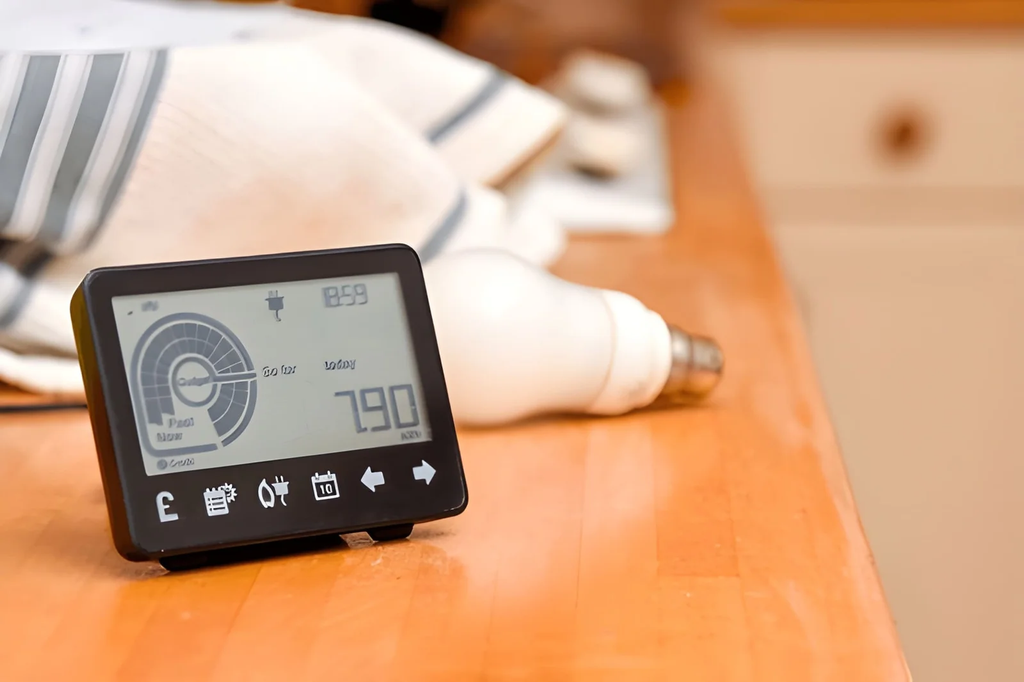
Your electricity bill arrives once a month and tells you almost nothing. It gives one total, with no hint of whether the oven, the dryer, or an old fridge in the garage is to blame. By the time you see the number, the usage is long gone. So how can home energy monitors track electricity usage in a way that helps you act?
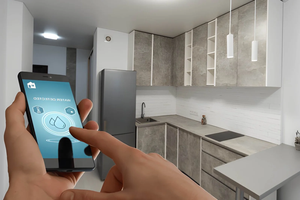
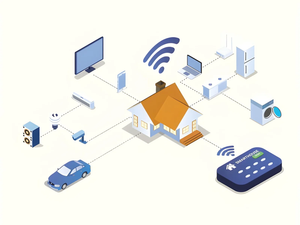
They measure power as it flows and turn it into numbers you can see in an app, often within seconds. Some watch the whole house, and others watch single devices or circuits. This article explains how each type works and what to do with the data. You will find a quick answer, a comparison of monitor types, a guide to reading the numbers, a setup checklist, a safety note, and the mistakes that make readings misleading. It suits owners and renters. Read the quick answer first, then use the sections that fit your home.
How Do Home Energy Monitors Track Electricity Usage?
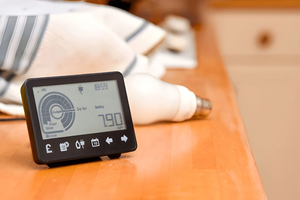
Home energy monitors track electricity usage by measuring current and voltage, multiplying them to get watts, and adding the result over time as kilowatt-hours. Most use clamp sensors on the main wires, a sensor that reads your meter, or a smart plug on one device. An app then shows live and historical use.
Types of Home Energy Monitors Compared
| Type | How it measures | Best for | Limit |
|---|---|---|---|
| Clamp (CT) whole-home | Sensors clamp around the main supply wires | Total use, live demand | Installed in the panel |
| Meter reader | Optical sensor reads the meter’s pulses | Renters, no panel access | Depends on meter type |
| Smart plug | Measures one device at the outlet | Single appliances | Only plug-in devices |
| Circuit-level panel monitor | Sensors on individual breakers | Finding which circuit is costly | Higher cost, panel work |
| Utility smart meter app | Utility’s own interval data | Free daily or hourly trends | Often delayed, less detail |
What the Numbers Mean
| Reading | What it tells you |
|---|---|
| Watts (W) | Power being used right now |
| Kilowatt-hours (kWh) | Energy used over time, which is what you pay for |
| Baseload | Usage when little is on, often overnight |
| Peaks | Short spikes from ovens, kettles, heaters |
| Cost estimate | kWh multiplied by your tariff rate |
Check your overnight baseload first. A high figure points to devices left running or an older appliance drawing more than it should.
Make Home Energy Monitors Useful
- Check the baseline. Note nighttime use with everything you can switch off, off.
- Switch one thing at a time. Turn on the kettle or heater and watch the jump in watts.
- Compare days. Weekdays and weekends often differ.
- Enter your tariff. If you have time-of-use rates, set them for accurate costs.
- Set an alert. Many apps warn you about unusual spikes.
Check your tariff rate with your supplier, as it differs widely by region.
Safety Note
Clamp and circuit monitors are fitted inside the electrical panel, where live parts can cause serious injury. Have a qualified electrician install them, and follow local electrical rules. Smart plugs and meter readers need no panel work, but check the plug’s rating against the appliance.
Mistakes to Avoid
The most common mistake is expecting savings from data alone. A monitor shows where energy goes, and you still need to act. Another is judging by one day of data. Seasonal heating and cooling change the pattern. Ignoring accuracy is a third problem, as cheap sensors may drift, so compare against your meter reading. Finally, don’t ignore privacy. Check what data the app stores and share it with care.
FAQ
Do home energy monitors save money?
They can, by helping you find waste, but savings depend on what you change.
Do I need an electrician?
For panel-mounted types, yes. Smart plugs do not need one.
Can I monitor solar panels too?
Many systems can, if they have an extra sensor for solar or export.
Bottom Line
Home energy monitors track electricity usage by measuring power live and logging it over time. Choose the type that suits your access and goal, set your tariff, and study your baseload before changing habits. Good data makes the next step obvious.
Must visit https://designmode24.co/designmode24-interior-design/ for more home energy monitors.