 Jessica
Most smart homes start with one impulse purchase. A bulb, a plug, a doorbell camera. Six months later you have four apps, two voice assistants that disagree, and a light switch that only works when the Wi-Fi feels like it. The gadgets weren’t the problem. The lack of a plan was.
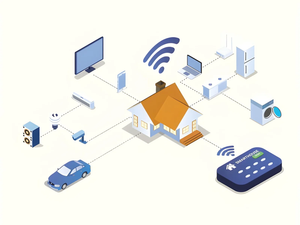
So what should you know before building a smart home? Decide what you want to fix, pick a compatible ecosystem, and make sure your network can carry the load. This guide covers the standards that matter, how to start small, what a realistic budget looks like, and how to protect your privacy and security. You’ll also see which devices give the best return and which can wait. The tables below compare standards, starter devices, and common risks so you can choose with confidence. Most beginners can set up a useful system in a weekend, as long as they plan before they buy.
What should you know before building a smart home?
Before building a smart home, choose one ecosystem, confirm your Wi-Fi coverage, check device compatibility with standards like Matter, and start with one or two problems you actually want to solve. Secure your router and accounts first, and buy in small steps.
Which ecosystem and standard should you choose?
| Option | What it is | Consider it if |
|---|---|---|
| Matter | A shared standard designed to work across brands | You want flexibility between brands |
| Apple Home | Apple’s platform | Your household uses iPhones |
| Google Home | Google’s platform | You use Android or Nest devices |
| Amazon Alexa | Amazon’s platform | You want wide device support |
| Zigbee or Z-Wave | Low-power mesh protocols that need a hub | You want many sensors with good battery life |
Check each box for “Matter” or for your platform’s name before you buy. Support varies by device and by firmware, so confirm it on the manufacturer’s page.
What are the best devices to start with?
| Device | Problem it solves | Typical cost* | Difficulty |
|---|---|---|---|
| Smart plugs | Turns lamps and small appliances on a schedule | Low | Very easy |
| Smart bulbs | Dimming and scenes | Low to medium | Easy |
| Smart thermostat | Heating and cooling control | Medium | Moderate |
| Video doorbell | See visitors and packages | Medium | Moderate |
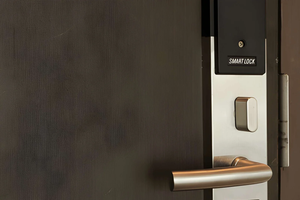
| Smart lock | Keyless entry | Medium to high | Moderate |
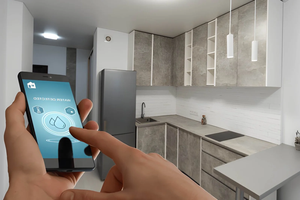
| Leak sensors | Early warning for water damage | Low | Easy |
*Rough ranges. Prices change often, so check current listings.
Is your network ready?
| Check | Why it matters |
|---|---|
| Wi-Fi coverage in every room | Weak spots cause dropped devices |
| Router age | Older routers can struggle with many devices |
| Mesh system | Helps in larger or multi-floor homes |
| Wired connections for cameras and hubs | More stable than Wi-Fi |
| Separate guest or IoT network | Keeps smart devices apart from your computers |
Count your devices. A typical smart home can reach dozens of connected items faster than you expect.
What about privacy and security?
| Risk | What to do |
|---|---|
| Weak passwords | Use a unique password for each account |
| Missing updates | Turn on automatic firmware updates |
| Default router settings | Change the admin password and enable encryption |
| Camera and microphone data | Read the privacy policy and review storage settings |
| Account takeover | Turn on two-factor authentication |
How should you budget?
| Approach | Typical spending | Best for |
|---|---|---|
| Starter | A few devices and a hub or speaker | Testing the idea |
| Mid-range | Lighting, thermostat, doorbell, sensors | Most households |
| Whole-home | Professional installation and wiring | New builds and renovations |
Add subscription costs. Some cameras charge monthly fees for video storage.
What mistakes should you avoid?
- Mixing incompatible brands. You end up with multiple apps and broken automations.
- Buying too many devices at once. Start small and add what you actually use.
- Ignoring the power outage plan. Make sure locks and doors still work manually.
- Skipping manual controls. Guests and family should still be able to use the lights.
Frequently asked questions
Do you need a smart hub?
Not always. Wi-Fi and Matter devices may work without one, while Zigbee and Z-Wave typically require a hub.
Will a smart home work without the internet?
Some devices work locally, while others need the cloud. Check each product’s specifications.
Is a smart home worth the cost?
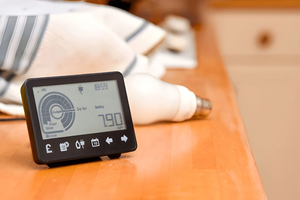
It depends on the problem you want to solve. Energy savings, security, and convenience are common reasons.
One last thought
My advice is to live with one device for a few weeks before buying the next. If you stop noticing it because it simply works, buy another. If you keep fighting it, you’ve just saved yourself money.
Must visit https://designmode24.co/designmode24-interior-design/ for building a smart home.