 Jessica
Most beginners don’t fail at smart homes because the technology is hard. They fail because they buy before choosing a system. One brand’s bulbs, another’s camera, a third’s thermostat, and suddenly three apps are competing for your attention and none of them agree.
So which smart home systems work best for beginners? The right answer depends on the phone in your pocket and the speaker on your shelf, not on a single “best” brand. This guide compares the main platforms, Amazon Alexa, Google Home, Apple Home, and Samsung SmartThings, plus the open-source option Home Assistant. You’ll see how each handles setup, device choice, privacy, and cost, and which household each one suits. We also explain Matter, the shared standard that makes mixing brands easier. The tables below summarize the differences at a glance. Features change often, so confirm details on each manufacturer’s site before you buy.
Which smart home systems work best for beginners?
Alexa, Google Home, and Apple Home are the easiest starting points. Choose the one that matches your phone and speaker: Apple Home for iPhone users, Google Home for Android users, and Alexa for the widest device selection. SmartThings suits Samsung households. Home Assistant is powerful but better for experienced users.
How do the main systems compare?
| System | Best for | Setup difficulty | Strength | Limitation |
|---|---|---|---|---|
| Amazon Alexa | Broad device support | Easy | Huge range of compatible products | Some features depend on Amazon devices |
| Google Home | Android users, voice search | Easy | Strong voice assistant | Compatibility varies by device |
| Apple Home | iPhone households | Easy to moderate | Strong privacy focus | Fewer compatible devices in some categories |
| Samsung SmartThings | Samsung appliance owners | Moderate | Works with many brands | App can feel complex |
| Home Assistant | Tinkerers | Hard | Deep control and local operation | Steep learning curve |
What is Matter, and why does it matter?
| Question | Answer |
|---|---|
| What is it? | A shared smart home standard backed by major tech companies |
| Why care? | Matter-labeled devices are designed to work across platforms |
| Does it fix everything? | No. Support varies by device type and firmware |
| What should you do? | Look for the Matter logo and check your platform’s compatibility list |
Which household suits which system?
| Your situation | Good starting choice | Why |
|---|---|---|
| Everyone uses iPhones | Apple Home | Simple setup, strong privacy approach |
| Mostly Android users | Google Home | Works smoothly with Android |
| Want the most device choices | Alexa | Wide compatibility |
| Own Samsung TVs and appliances | SmartThings | Connects with Samsung products |
| Enjoy technical projects | Home Assistant | Maximum flexibility |
| Mixed phones in one home | Alexa or a Matter-based setup | Avoids lock-in |
What should you buy first?
| Device | Why it’s beginner-friendly |
|---|---|
| Smart speaker or display | Acts as a hub and voice control |
| Smart plugs | Turn lamps and appliances on a schedule |
| Smart bulbs | Easy to install and fun to use |
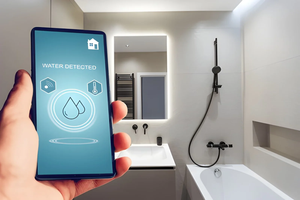
| Leak sensors | Low cost, high protection |
| Video doorbell | Useful, though check subscription fees |
What about cost and privacy?
| Factor | What to check |
|---|---|
| Upfront cost | Starter kits are common, but prices change often |
| Subscriptions | Some cameras charge monthly for video storage |
| Local vs cloud | Local operation can keep working during internet outages |
| Voice recordings | Review each platform’s privacy settings |
| Accounts | Use strong passwords and two-factor authentication |
What mistakes should beginners avoid?
- Mixing ecosystems early. Pick one platform first.
- Buying many devices at once. Add one at a time and see what you use.
- Ignoring Wi-Fi coverage. Weak signal causes most dropouts.
- Skipping manual controls. Guests should still be able to use the lights.
Frequently asked questions
Do you need a hub?
Not always. Many Wi-Fi and Matter devices work through a speaker or app, while some protocols require a hub.
Can you switch systems later?
Often yes, especially with Matter devices, though you may need to re-pair them.
Is a smart home hard to set up?
A starter setup, like a speaker and a few bulbs, typically takes under an hour.
One last thought
I’d pick the system your household already uses, not the one with the best reviews. The easiest smart home is the one everyone already knows how to talk to.
Must visit https://designmode24.co/ for smart home system ideas.