 Jessica
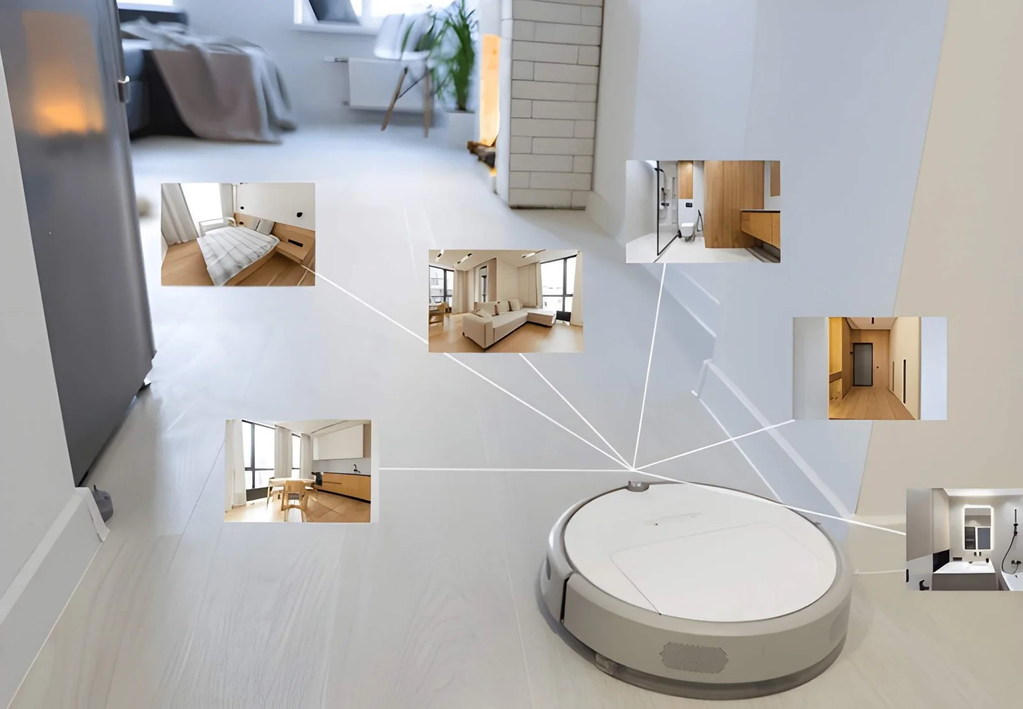
Watch a robot vacuum for ten minutes and it starts to look oddly clever. It slips under a sofa, stops short of the stairs, and returns to its dock without a human in sight. Underneath, there is no magic, only sensors, a map, and software making thousands of small decisions every minute.
So how do robot vacuums navigate modern homes? Most combine sensors that detect nearby objects with mapping software that remembers where they have been. This guide explains the main navigation methods, how each handles furniture, cables, and stairs, and where they struggle. You’ll also see which technology suits dark rooms, pet homes, and multi-floor layouts, plus what to check before buying. The tables below compare navigation types and sensors at a glance. Prices and features change quickly, so treat the comparisons as general guidance and confirm specifics on the manufacturer’s page.
How do robot vacuums navigate modern homes?
Robot vacuums navigate by combining sensors with mapping. LiDAR or cameras measure distances and detect obstacles, software builds a floor map using SLAM (simultaneous localization and mapping), and cliff and bumper sensors handle drops and contact. Older models simply bounce around randomly.
What navigation types exist?
| Type | How it works | Strength | Weakness |
|---|---|---|---|
| Random bump | Drives straight until it hits something, then turns | Cheap | Misses spots, no map |
| Gyroscope and optical sensors | Tracks heading and movement for straighter rows | More orderly cleaning | Limited memory |
| Camera-based (vSLAM) | Uses a camera to recognize landmarks | Good detail, often no spinning turret | Struggles in very dark rooms |
| LiDAR | A spinning laser measures distances | Fast, accurate maps, works in the dark | Can miss low or transparent objects |
| 3D structured light or AI cameras | Detects and identifies obstacles | Avoids cables and pet waste better | Varies by model and lighting |
Which sensors do the work?
| Sensor | Job |
|---|---|
| Cliff sensors | Detect drops, such as stairs |
| Bumper | Registers contact with walls and furniture |
| Wheel encoders | Estimate distance traveled |
| Gyroscope | Tracks turning and direction |
| Wall sensors | Follow edges closely |
| Dock signal receiver | Guides the robot back to charge |
How does mapping work?
| Stage | What happens |
|---|---|
| First run | The robot explores and builds a map |
| Localization | It compares what it senses to the map to know its position |
| Planning | Software plots cleaning paths, often in neat rows |
| Saving | Many models store maps in an app |
| Editing | You can usually set zones, rooms, and no-go areas |
| Multi-floor | Some models store several maps and recognize which floor they’re on |
Where do robots struggle?
| Challenge | Why it’s hard | Helpful fix |
|---|---|---|
| Cables and socks | Sensors may miss thin items | Clear the floor first |
| Dark rooms | Camera systems lose detail | Choose LiDAR or add light |
| Black or very dark carpet | Cliff sensors may misread it as a drop | Check the manufacturer guidance |
| Glass and mirrors | Lasers can reflect or pass through | Use no-go zones |
| Pet accidents | Hard to see | Look for models with obstacle recognition |
| Thresholds | Tall edges can block wheels | Check the climb height |
What should you check before buying?
| Question | Why it matters |
|---|---|
| LiDAR, camera, or both? | Affects performance in dim rooms |
| Does it save multiple maps? | Needed for more than one floor |
| Can you set no-go zones? | Protects delicate areas and pet bowls |
| What is the climb height? | Determines whether it crosses door tracks |
| Is there a physical bumper? | A backup when sensors miss |
| What are the privacy options? | Cameras and cloud maps involve data |
What about privacy?
| Concern | What to do |
|---|---|
| Camera images | Read the privacy policy and storage settings |
| Cloud maps | Check whether you can delete stored maps |
| Wi-Fi access | Use a strong password and update firmware |
| Account security | Turn on two-factor authentication where offered |
Frequently asked questions
Do robot vacuums need Wi-Fi?
Basic cleaning often works without it. Map editing, scheduling, and remote control usually need an app connection.
Can robot vacuums avoid stairs?
Most use cliff sensors to detect drops, though no sensor is perfect on every surface.
Do they work in the dark?
LiDAR models generally do. Camera-based models may perform worse in low light.
One last thought
If you’re buying one, clear the floor before the first run. The initial map shapes every later clean, and a messy first pass can teach the robot the wrong layout.
For robot vacuums ideas must visit https://designmode24.co/