 Jessica
You tap a light switch on your phone, and nothing happens for three seconds. Then it works. Later, the internet drops during dinner, and the evening scene stops running. Both problems have the same root: where your smart home makes its decisions. Many people only learn the difference between local and cloud-based automation after something fails, because product boxes rarely say where the thinking happens.
That one detail affects speed, privacy, reliability, and how long a device keeps working if a company changes plans. This article explains the difference in plain terms. You will find a quick answer, a side-by-side table, a three-question test you can run on any device, a guide to which tasks belong where, a short security note for US homes, and the mistakes that leave people stuck. It suits renters, owners, and first-time buyers. Read the quick answer first, then use the sections that fit your home.
What Is the Difference Between Local and Cloud-Based Automation?
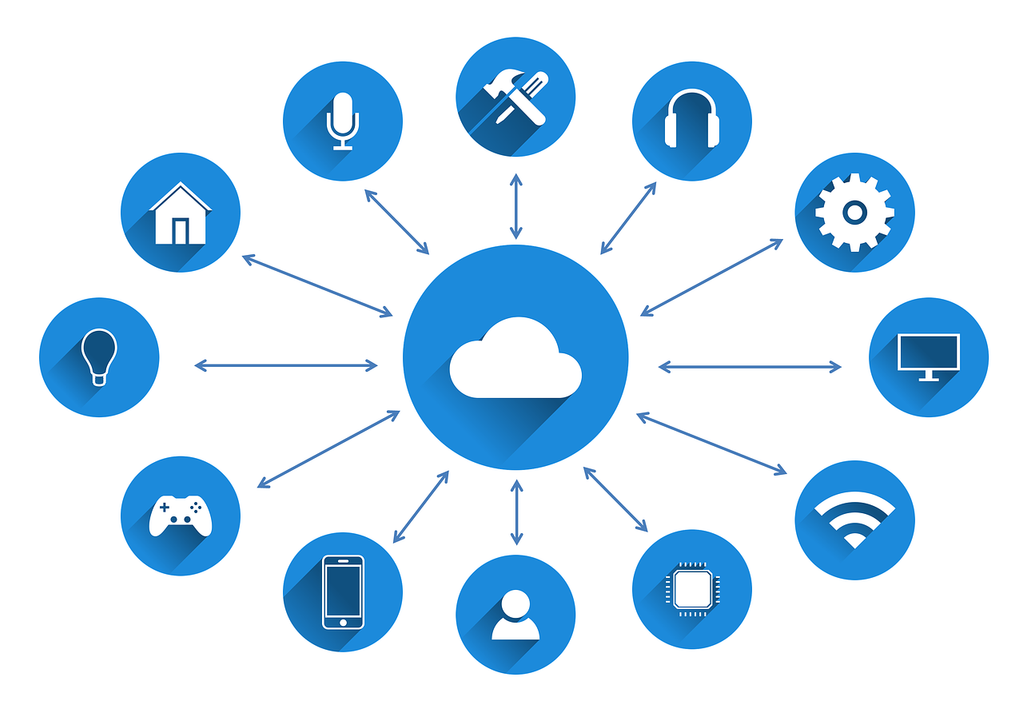
The difference between local and cloud-based automation is where commands are processed. With local control, a hub or controller inside your home receives the command and acts on it directly, so automations keep running during an internet outage. With cloud-based automation, the command travels to a company server and back, which adds delay and dependence on that server.
Side-by-Side Comparison
| Factor | Local automation | Cloud-based automation |
|---|---|---|
| Where decisions happen | Hub or controller in your home | Company servers |
| Internet outage | Core automations usually keep working | Often stop |
| Speed | Faster response, since nothing leaves the house | Round trip adds delay |
| Privacy | Data stays in the home | Data passes through company servers |
| Remote access | Needs a secure remote path | Easy from anywhere |
| Setup | Often harder at first | Usually simple |
| If the company shuts down | Devices more likely to survive | Features may disappear |
Run the Three-Question Test
Ask these about any device or routine before you buy.
| Question | Local answer | Cloud answer |
|---|---|---|
| Where is the rule stored? | On your hub | In the company’s app account |
| Where is the decision made? | In the house | On a remote server |
| What happens if the internet drops? | Still runs | Pauses or fails |
If you cannot find the answers on the product page, assume cloud.
Which Tasks Belong Where
A practical rule is that essential daily functions should run locally, while remote monitoring and outside data integrations can reasonably use the cloud.
| Task | Best fit | Why |
|---|---|---|
| Lights and switches | Local | Speed and reliability |
| Door locks and alarms | Local, with cloud alerts | Safety, with remote notice |
| Thermostat schedules | Local | Comfort in an outage |
| Camera storage and sharing | Often cloud | Backup and access |
| Voice assistants | Mostly cloud | Speech processing |
| Weather or calendar triggers | Cloud | Needs outside data |
The Hybrid Setup Most Homes Use
Most households end up with both. A local hub handles lighting, climate, and sensors, while cloud services supply voice control, remote viewing, and notifications. Standards such as Matter help here. Matter devices run over Wi-Fi, Thread, or Ethernet, and Thread devices need a border router. But manufacturers implement Matter inconsistently, so check whether core functions work without cloud access.
Security and Practical Notes
Local does not mean secure by default. Use strong, unique passwords, turn on two-factor authentication, and keep hub software updated. Set up remote access through the vendor’s secure method or a VPN, not by opening ports on your router. Keep backups of your hub configuration.
Mistakes to Avoid
The most common mistake is assuming “smart” means local. Another is building critical routines, such as locks or heating, on a cloud-only service. Buying devices from different ecosystems without checking compatibility is a third error. Don’t skip an outage test either: unplug the router and see what still works. Finally, don’t ignore subscriptions that may lock features.
FAQ
Is local automation always better?
Not always. Cloud is easier and better for remote access and voice.
Can I mix both?
Yes. Many homes use a local hub with selected cloud features.
Bottom Line: Local and Cloud-Based Automation Solve Different Problems
The difference between local and cloud-based automation comes down to where decisions happen. Keep essential routines local, use the cloud for convenience and remote access, and test an outage before you trust either. Choose the setup that fits your home.
Must visit https://designmode24.co/ for more information about automation.