 Jessica
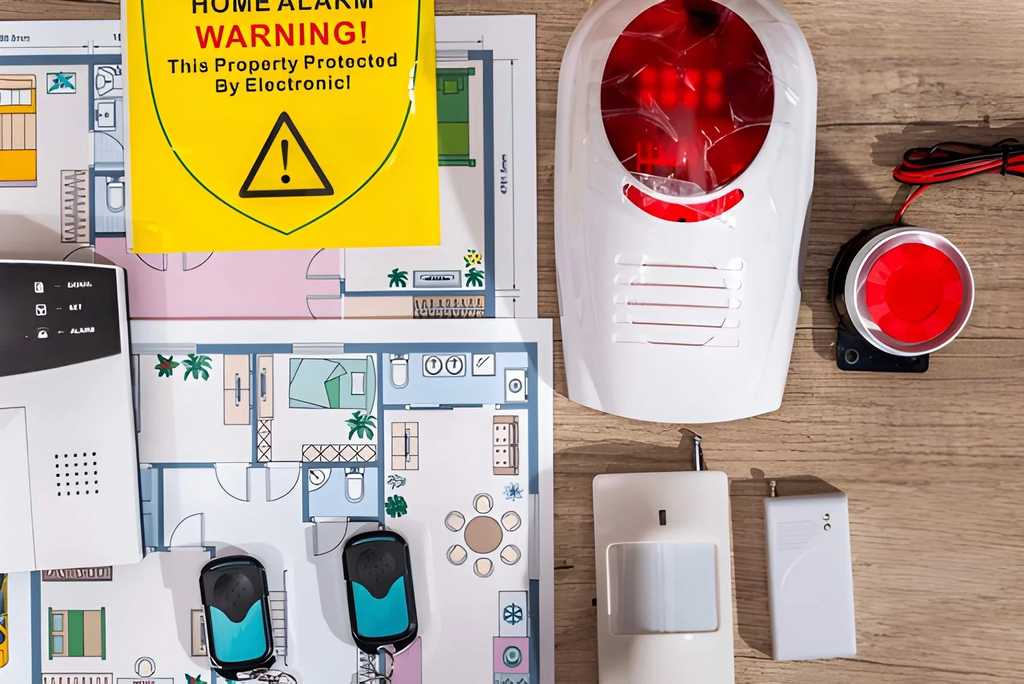
The first false alert is annoying. The tenth is dangerous, because by then everyone in the house has learned to ignore the phone buzz. A cat crosses a hallway, sunlight hits a lens, a battery runs low, and the system announces a break-in. People often respond by switching off the sensitivity or silencing the app, which fixes the noise and removes the protection. So how can you reduce false alerts from home security sensors without weakening your system?
The reliable method is to treat each alert as data. Log them for a week, sort them by cause, and fix the biggest group first. Most false alerts come from four sources: the environment, sensor placement, settings, and power or network trouble. This article walks through that order. You will find a quick answer, a log template, a cause-and-fix table by sensor type, a settings guide, a US safety and fines note, and the mistakes that make things worse. It suits renters and owners with DIY or professionally installed systems. Read the quick answer first, then use the sections that fit your setup.
How Do You Reduce False Alerts From Home Security Sensors?
To reduce false alerts from home security sensors, record each alert for a week, find the pattern, and fix the cause rather than lowering sensitivity everywhere. Move sensors away from heat, sunlight, vents, and pets’ paths, tighten door and window alignment, replace weak batteries, and strengthen Wi-Fi. Test after every change.
Step One: Keep a One-Week Alert Log
| Time | Sensor | What happened | Likely cause |
|---|---|---|---|
| 3:12 a.m. | Hallway motion | Alert, nobody there | Furnace vent? Pet? |
| 4:45 p.m. | Front door | “Opened” with no one home | Loose gap, wind? |
| 6:30 a.m. | Porch camera | Person detected | Shadow, insect? |
Patterns show up fast. Alerts at the same time every day usually point to sunlight, heating cycles, or a schedule, not an intruder.
Match the Cause to the Fix
| Sensor | Common cause | Fix |
|---|---|---|
| Motion (PIR) | Heating vents, sunny windows, space heaters | Move or aim away, avoid facing glass or vents |
| Motion (PIR) | Pets | Use a pet-immune model or mount at the recommended height, and check the weight rating |
| Door and window | Magnet too far from sensor | Realign so the gap matches the manual |
| Door and window | Loose or warped door | Adjust the latch, add weatherstripping |
| Cameras | Insects, rain, moving trees, shadows | Set activity zones, clean the lens, trim branches |
| Glass-break | Loud TV, dishes, alarms | Test sensitivity and placement |
| Any wireless sensor | Low battery or poor signal | Replace batteries, move the hub closer, add a mesh extender |
Tune the Settings in the Right Order
| Setting | What to try |
|---|---|
| Activity zones | Exclude streets, sidewalks, and trees |
| Sensitivity | Lower slightly, then test |
| Detection type | Choose person-only alerts when available |
| Schedules | Arm differently for home, away, and night |
| Entry delay | Give yourself time to disarm |
| Notification rules | Send only urgent alerts to your phone |
Change one setting at a time, so you know what worked.
Test After Every Change
Walk through the zone at different speeds, open each door, and trigger each sensor on purpose. If you also use professional monitoring, tell the company before testing so they don’t dispatch.
Safety and Fines Note in the US
Many US cities and counties fine owners for repeated false alarms, and some require alarm permits. Rules vary, so check yours. Never permanently disable a sensor to stop alerts. If a problem persists, contact the manufacturer or a licensed installer, since some faults are wiring or hardware related.
Mistakes to Avoid
The most common mistake is lowering sensitivity everywhere. Another is ignoring low-battery warnings, which can cause random alerts. Placing motion sensors above radiators or facing windows is a third error. Don’t reposition sensors without testing afterward. Finally, avoid cheap, unrated replacements.
FAQ
Why do sensors alert at night?
Common causes are heating cycles, pets, low batteries, and Wi-Fi dropouts.
Can spiders cause alerts?
Yes. Insects near camera lenses can trigger motion or night-vision glare.
Bottom Line: Fix the Cause, Not the Sensitivity
To reduce false alerts from home security sensors, log them, sort by cause, and adjust placement, settings, and power in that order. Test each change, check local alarm rules, and keep protection on. A quiet system you trust is worth more than a loud one you ignore.
For reducing false alerts must visit https://designmode24.co/