 Jessica
Most mornings follow the same script. Alarm, lights, kettle, thermostat, a quick check that the door is locked. None of it is hard, but together these small jobs use up attention before the day has properly started. Evenings repeat the pattern in reverse. So how do automated home routines simplify daily tasks?
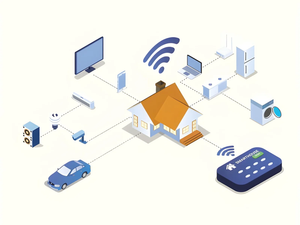
An automated routine links a trigger, such as a time, sunset, or your phone arriving home, to one or more actions, such as switching on lights or lowering the heating. You set it once, and it runs without a reminder. The benefit is less mental load, not a futuristic house. This article explains how routines work, which tasks suit them, and how to start without buying a full smart home. You will find a quick answer, a trigger table, a sample day, a starter checklist, a safety and privacy section, and the mistakes that make routines annoying. It suits renters and homeowners alike. Read the quick answer first, then use the sections that fit your home.
How Automated Home Routines Work
Automated home routines simplify daily tasks by doing repeat jobs for you. Each routine has a trigger and an action. When the trigger happens, the action runs automatically, so you stop remembering small chores. They work best on tasks that are frequent, predictable, and low risk.
| Trigger | Example | Good for |
|---|---|---|
| Time | 6:30 a.m. on weekdays | Heating, lights, coffee |
| Sunrise or sunset | Sunset | Lamps, outdoor lights |
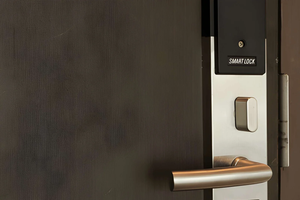
| Location | Phone leaves or arrives | Heating, door locks |
| Device event | Front door opens | Hall light |
| Voice or button | “Good night” | Several actions at once |
Sunset triggers adjust through the year, so they beat fixed times for lighting.
A Sample Day
| Moment | Routine idea |
|---|---|
| Morning | Heating warms the house, kitchen light fades on |
| Leaving | Lights off, thermostat lowers, reminder to lock up |
| Arriving | Hall light on, heating returns to comfort level |
| Evening | Lamps dim at sunset, music or TV scene |
| Night | One command turns off lights and checks doors |
Start Small With Automated Home Routines
- List your repeat jobs. Note what you do at the same time every day.
- Pick one. Start with lights or heating, where mistakes cost little.
- Set trigger and action. Keep it to one or two steps.
- Run it for a week. Adjust timing before adding more.
- Keep a manual override. Wall switches and buttons should still work.
If your devices don’t connect to each other, a smart plug or a hub can bridge them, but check compatibility first.
Safety and Privacy
Don’t automate anything that could cause harm if it runs unattended, such as heaters, irons, or ovens. Use strong, unique passwords, keep device software updated, and review what data each app collects. If you rent, check what your lease allows before adding anything permanent.
Mistakes to Avoid
The most common mistake is building too many routines at once, so nobody knows why a light just turned off. Routines that clash are another problem, such as one that dims the lamps while another brightens them. Fixed times cause trouble when seasons change, so use sunset triggers. Forgetting guests also hurts. Add a pause mode for visitors, and make sure everyone in the house knows what runs automatically.
FAQ
Do automated home routines need a smart speaker?
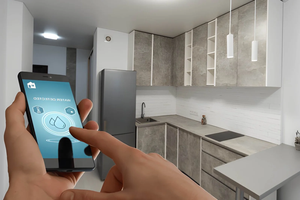
No. Many run from an app, a schedule, or a button.
Can they save energy?
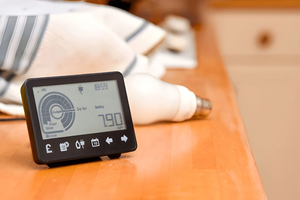
They can, by lowering heating and turning off unused lights, though savings vary.
Are they hard to set up?
Simple routines usually take a few minutes in an app.
Bottom Line
Automated home routines simplify daily tasks by turning repeated chores into triggers and actions. Start with one low-risk routine, keep manual controls, and avoid automating anything unsafe. A few well-chosen routines can free more attention than a houseful of gadgets.
For more automated home routine ideas must visit https://designmode24.co/designmode24-interior-design/