 Jessica
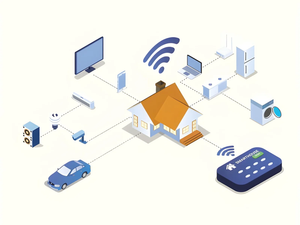
Anyone who has bought a smart plug that only works with one app knows the frustration. You check the box, the box says “works with” three brands, and the fourth is the one in your living room. So what makes Matter technology useful for smart homes? It gives devices a shared language, so a light you buy from one company can work with the hub and app you already own.
I have set up homes before and after Matter, and the difference shows up in the first hour. Fewer apps, fewer workarounds, and far less time spent reading compatibility fine print.
Matter is not magic, though. It does not make every old device work, and not every feature carries across brands. This guide covers the quick answer, a table of core benefits, a version timeline, how Matter compares with older setups, a buying checklist, mistakes to avoid, and an FAQ. It is written for beginners but has enough detail for people planning a larger setup.
What makes Matter technology useful for smart homes?
Matter is useful because it is a shared standard that lets smart devices from different brands work together across Apple Home, Google Home, Amazon Alexa, and Samsung SmartThings. It simplifies setup, allows control from more than one platform, and keeps working locally over your home network, so you depend less on a single brand’s app.
What are the main benefits?
| Benefit | What it means in daily use |
|---|---|
| Cross-brand compatibility | Buy by device quality, not by ecosystem |
| Multi-admin control | Add one device to several apps or assistants at once |
| Simpler setup | Scan a code or tap with NFC instead of hunting through menus |
| Local control | Many commands stay inside your home network |
| Wider device support | Lights, locks, sensors, thermostats, appliances, and more |
AWS guidance says Matter now supports over 50 device types. Support for a device type does not guarantee that every product uses it, so check each product page.
How has Matter changed over time?
| Version | Date | Notable change |
|---|---|---|
| 1.0 | October 4, 2022 | First public specification |
| 1.2 | October 2023 | Nine new device types, including refrigerators and washing machines |
| 1.3 | May 2024 | Energy reporting |
| 1.4 | November 2024 | Solar panels, batteries, and heat pumps |
| 1.6 | June 17, 2026 | Latest version at the time of writing |
Newer versions add capability without breaking older ones. A device certified against an earlier version should keep working with a controller running newer software, though it will not gain features its hardware lacks.
How does Matter compare with older setups?
| Factor | Brand-specific app | Zigbee or Z-Wave hub | Matter |
|---|---|---|---|
| Setup | One app per brand | One hub, then pairing | Scan a code or tap |
| Cross-brand support | Rare | Good within the protocol | Designed for it |
| Needs a hub | No | Yes | Often a hub or border router |
| Works with older devices | Yes | Yes | Through a bridge |
Matter runs over Wi-Fi, Ethernet, and Thread. Thread devices need a Thread border router, which many recent speakers and displays already include.
What should you check before buying?
| Check | Why it matters |
|---|---|
| Matter logo on the box | Confirms certification |
| Connection type | Wi-Fi or Thread decides what your hub must support |
| Your hub or border router | Needs Matter and, for Thread devices, border router support |
| Device type support in your app | Some platforms show only basic controls |
| Firmware updates | Updates often add features |
What mistakes should you avoid?
- Assuming every feature carries over. Brand apps may offer extras that Matter does not.
- Replacing working devices. Bridges can bring Zigbee and Z-Wave gear into Matter.
- Skipping the hub check. A Thread sensor with no border router will not connect.
Frequently asked questions
Is Matter a hub?
No. Matter is a standard. You still need a controller, such as a smart speaker or hub, to use it.
Does Matter work without the internet?
Many local commands can, since Matter operates on your home network. Remote access and some features still need the internet.
Do you need new devices for Matter?
Not always. Some older devices gain support through updates or bridges, but others will not.
Bottom line
Matter makes smart homes simpler by letting devices from different brands share one language. Look for the logo, confirm your hub supports your device’s connection type, and add devices gradually. You do not need to replace everything at once.
For matter smart home technology must visit https://designmode24.co/designmode24-interior-design/